Microsoft Teams Alert Workflow
Purpose
This page aims to document the process of creation of workflow for generating notifications on Teams channel and also creating tasks in Teams Planner on Microsoft Teams.
The use case described for this is sending the notifications from Grafana Alerts to KaaS Teams Channel and then creating the tasks in planner for each notification received on the channel.
To counter the limitation of sending the alert notifications to Outlook email we have used Microsoft Teams channel.
Process
To create the workflow in Microsoft Teams, use "KaaSOpsAdmin" account. Below are the steps to create the workflow: - Login to Teams with "KaaSOpsAdmin" account. - Select Apps from the left side of Teams and select workflow.
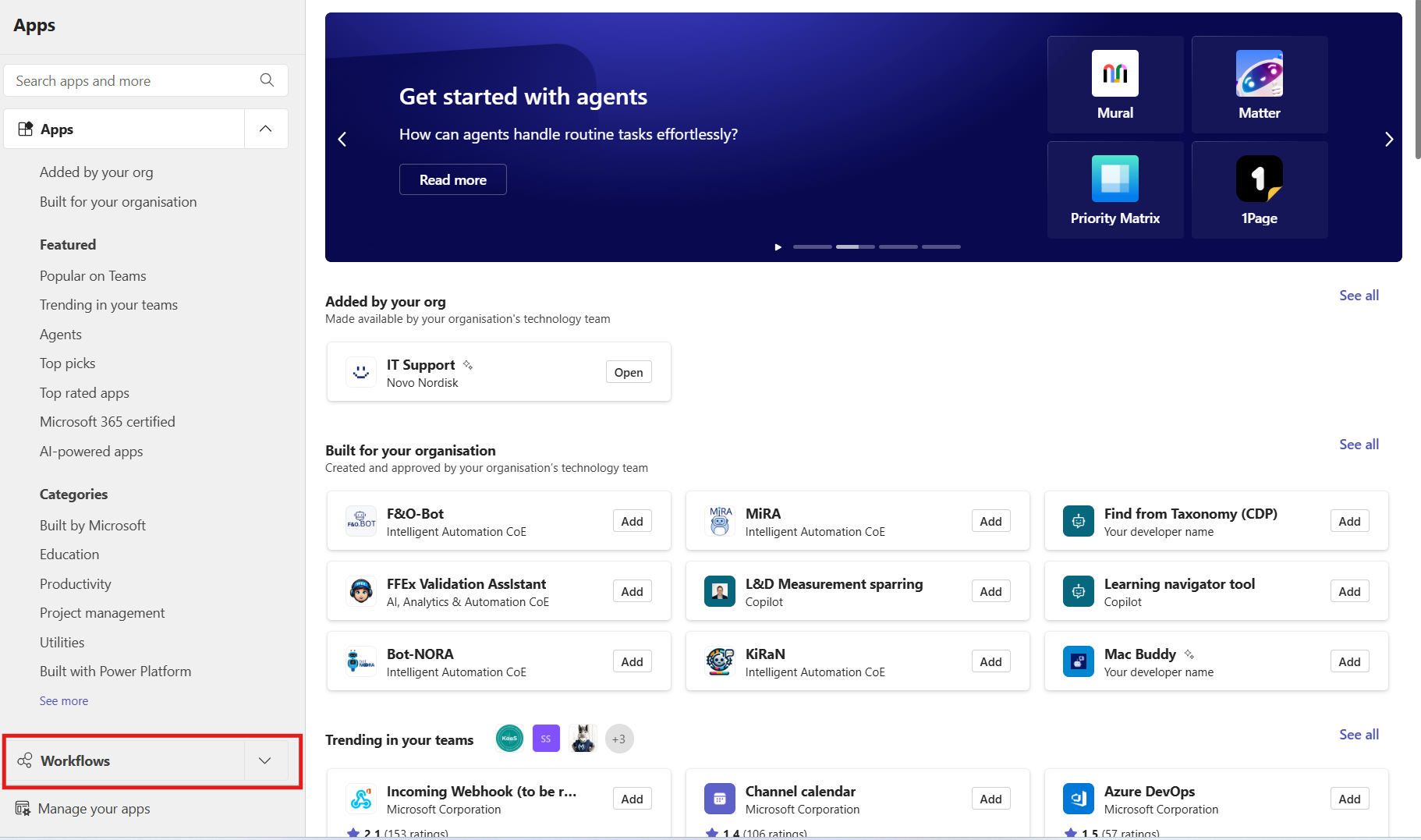
-
Select create new option and select the template "Post to a channel when a webhook request is received".
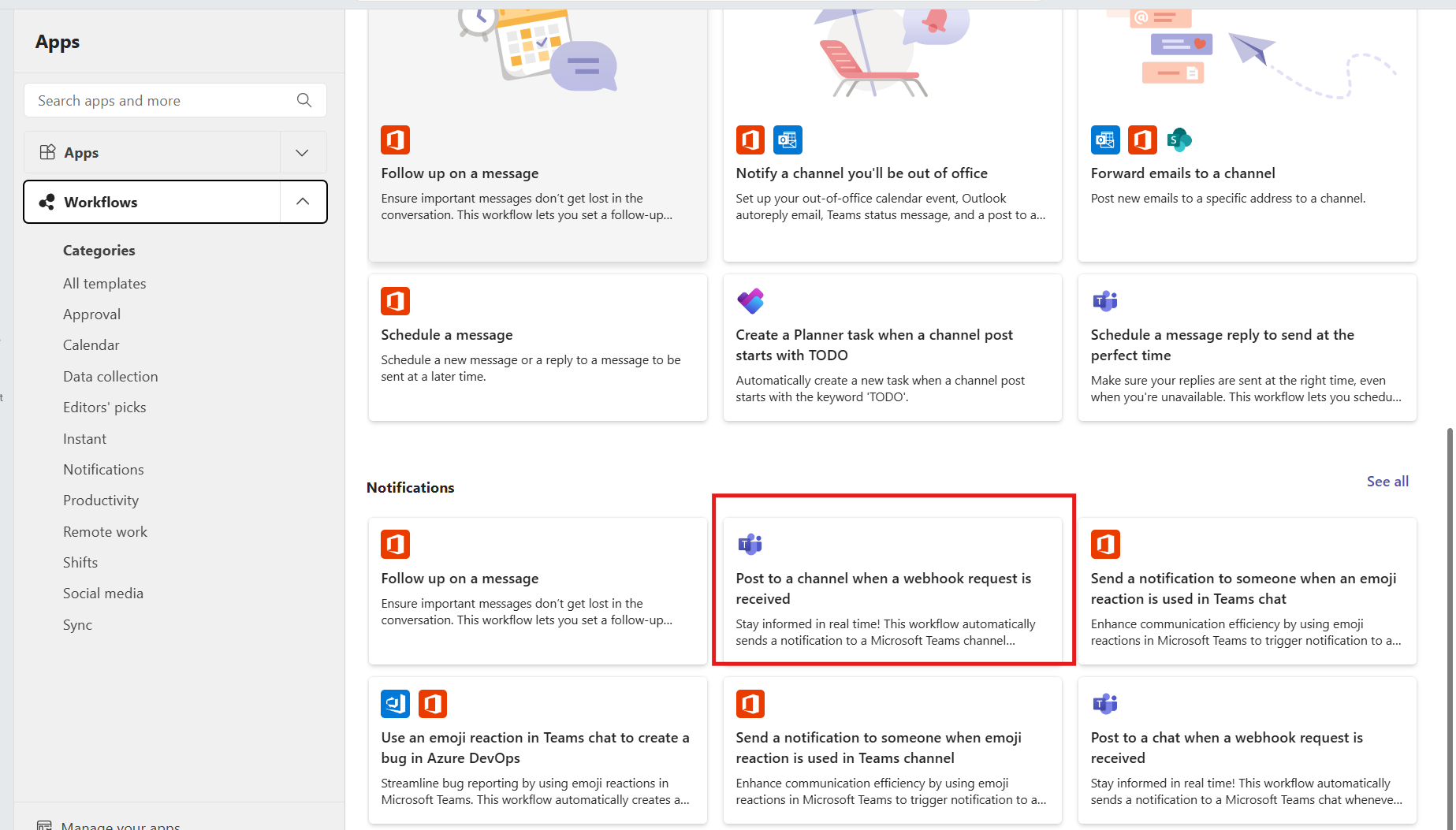
- Then select the Tchannel where the notification needs to be sent.
-
Once the channel is selected and the workflow is added, it will create the webhook URL link which can be copied and can be used at the place where the notification is triggered.
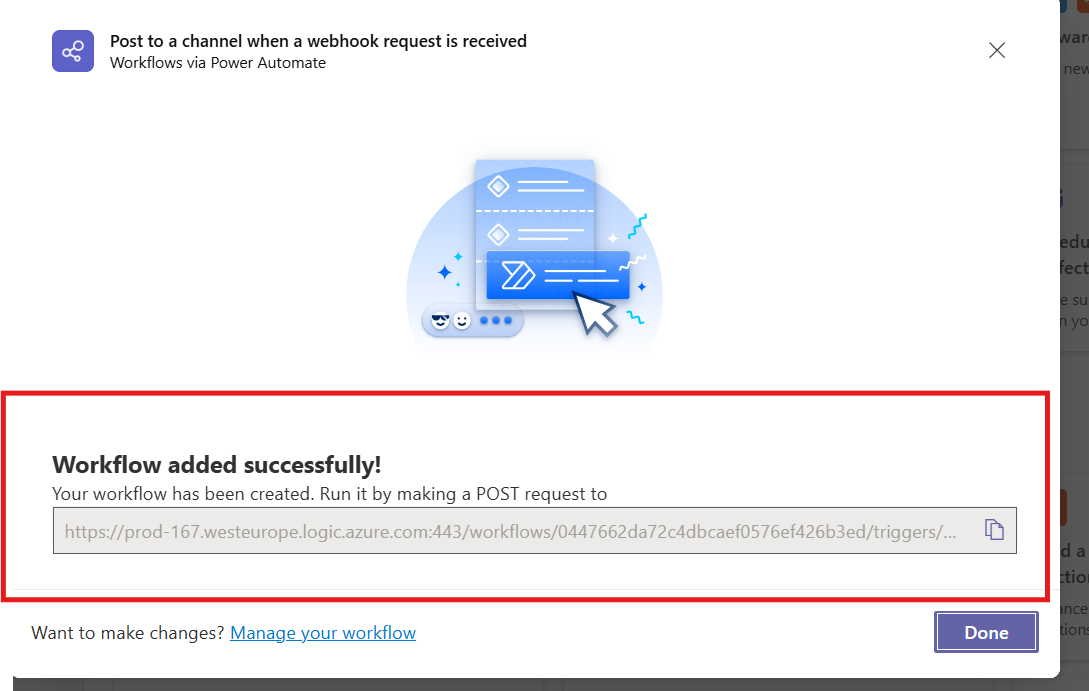
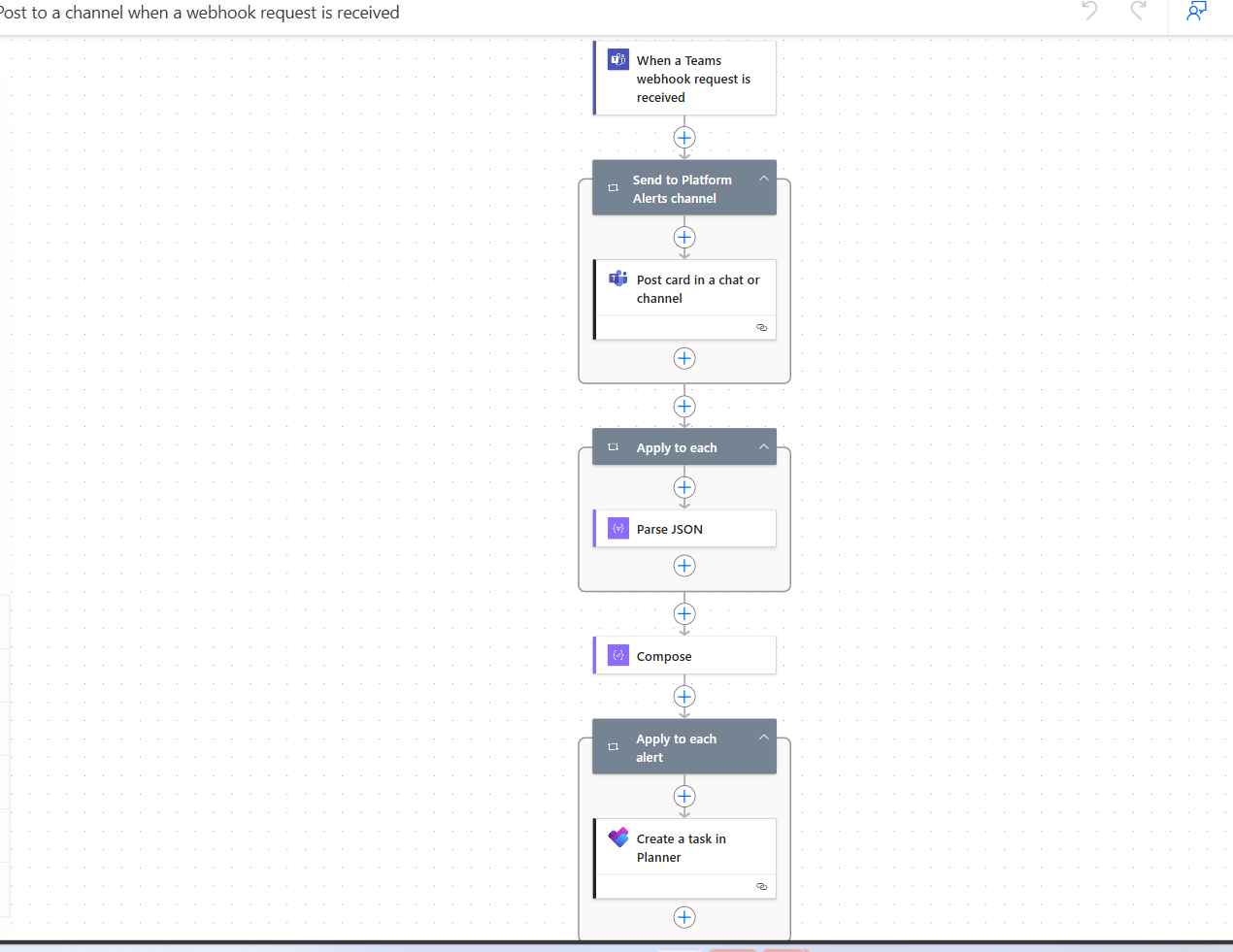
- This will create a workflow for sending the notification to the Teams channel and after this we can add the next action to create the task in planner.
- Add a new action called "create a Task in Planner". The overall flow diagram of the workflow will be as below
Code View
1 2 3 4 5 6 7 8 9 10 11 12 13 14 15 16 17 18 19 20 21 22 23 24 25 26 27 28 29 30 31 32 33 34 35 36 37 38 39 40 41 42 43 44 45 46 47 48 49 50 51 52 53 54 55 56 57 58 59 60 61 62 63 64 65 66 67 68 69 70 71 72 73 74 75 76 77 78 79 80 81 82 83 84 85 86 87 88 89 90 91 92 93 94 95 96 97 98 99 100 101 102 103 104 105 106 107 108 109 110 111 112 113 114 115 116 117 118 119 120 121 122 123 124 125 126 127 128 129 130 131 132 133 134 135 136 137 138 139 140 141 142 143 144 145 146 147 148 149 150 151 152 153 154 155 156 157 158 159 160 161 162 163 164 165 166 | |