Purpose and Scope of this Document
Guide users regarding playground setup, how to get access to the playground setup, and getting started with Confluent Kafka.
Pre-Read
Read for getting started with KaaS playground.
Step by Step Guide for Playground User Handbook
Refer to the KaaS Playground User Handbook.
Confluent Cloud UI login page: Confluent Cloud UI
Access Request in NovoAccess
Request access to the playground environment using Novo entitlement "Kafka as a Service: KaaS Playground User" for your user account to access the KaaS platform playground environment.
Clusters available for Playground users
Dedicated Cluster - dev_eu1_cluster_0 Public Cluster - dev_eu1_public_default
If you have to access the topics and schema programatically, you have to create a Service Account and for that service account you can get the API key. The link to create the Service Account through ServiceNow request is here .
Naming Convention
Please follow the defined naming convention when creating the Service Accounts, Topics, Schema, Consumer Groups and Conectors. The details for the defined naming convention can be found here .
Connectors
For initial PoC and early explorations, we have enabled playground environment users to access connectors in the Dev environment where they can use all the fully managed connectors provided by Confluent.
For more information on naming conventions and more on connectors, read here: Confluent Connectors.
Flink
What is Apache Flink?
Apache Flink is a stream processing framework for distributed, high-performing, always-available, and accurate data streaming applications. It provides capabilities for ingesting large volumes of data with minimum latency and supports complex event processing.
Key Features of Flink:
- Event Time Processing: Flink allows handling of time-sensitive events and can process events based on their timestamps.
- Stateful Streaming: Flink enables you to build rich stateful applications that maintain state across their lifecycle.
- Fault Tolerance: Flink has built-in mechanisms for stateful stream processing. It guarantees that the state is correctly managed even in the occurrence of failures.
- Exactly Once Processing Semantics: Flink ensures that each event is processed exactly once, thus eliminating duplicates.
To enable stream processing and help users use this feature from Confluent, we have enabled the Flink feature in the playground environment. This allows users to process data in real time.
You can read about Flink and its features here.
To run Flink statements, you can find guidance in Confluent’s documentation here.
Steps to Consider When Running Flink Statements
As this is a shared pool for all playground users, please follow these guidelines:
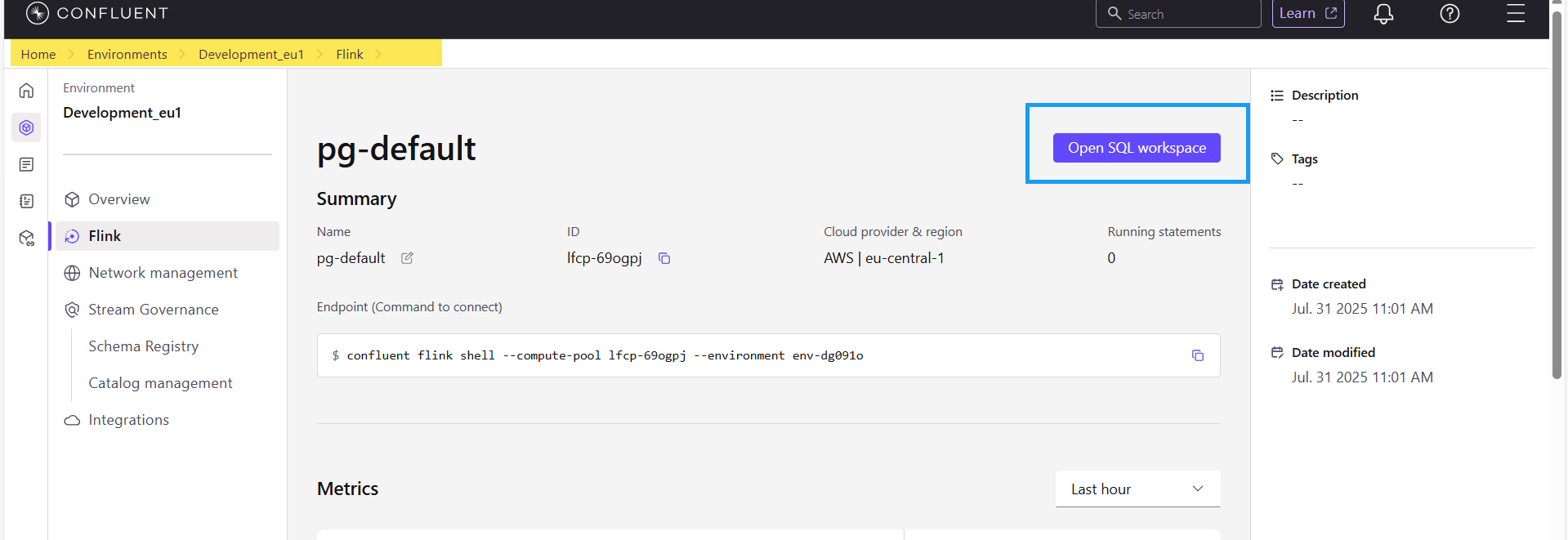
- Use the compute pool called "pg-default" and use the workspace provided there, as shown in the Visual Reference Guide below.
- Ensure that you run Flink statements on the topics and schemas you have access to, with the prefix kaas_pg.
- Please be cautious with other users' Flink statements since this is a shared playground Flink pool.
Visual Reference Guide