Purpose and Scope of this Document
This document illustrates the standard configurations for the Oracle Database Source (JDBC) Connector on the KaaS (Kafka as a Service) platform. It highlights critical settings required for stable data streaming and provides solutions for common duplication issues.
Oracle Database Source (JDBC) Connector for Confluent Cloud
The Oracle JDBC Source connector pulls data from an Oracle database and writes it to Kafka topics. For comprehensive parameter details, refer to the Official Confluent Documentation.
Generic Connector Configuration Guide
The following table describes the core parameters typically configured within the Confluent Cloud UI or via JSON.
1. Connection & Authentication
| Parameter | Description | Example Pattern |
|---|---|---|
| Authentication method | The mechanism used to connect. | Password / Service Account |
| Connection host | The IP or DNS of the Oracle DB. | db-host.example.com |
| Connection port | The listener port (standard is 1521). | 1521 |
| Connection user | DB user with read permissions. | KAFKA_USER |
| Database name type | Identifies the DB via SID or Service Name. | SID / SERVICE_NAME |
| SSL mode | Encryption status for the connection. | disabled / preferred |
2. Source & Topic Mapping
| Parameter | Description | Example Pattern |
|---|---|---|
| Topic prefix | Prepended to the table name to create the topic. | prefix_ use the KaaS namespace prefix of your topic |
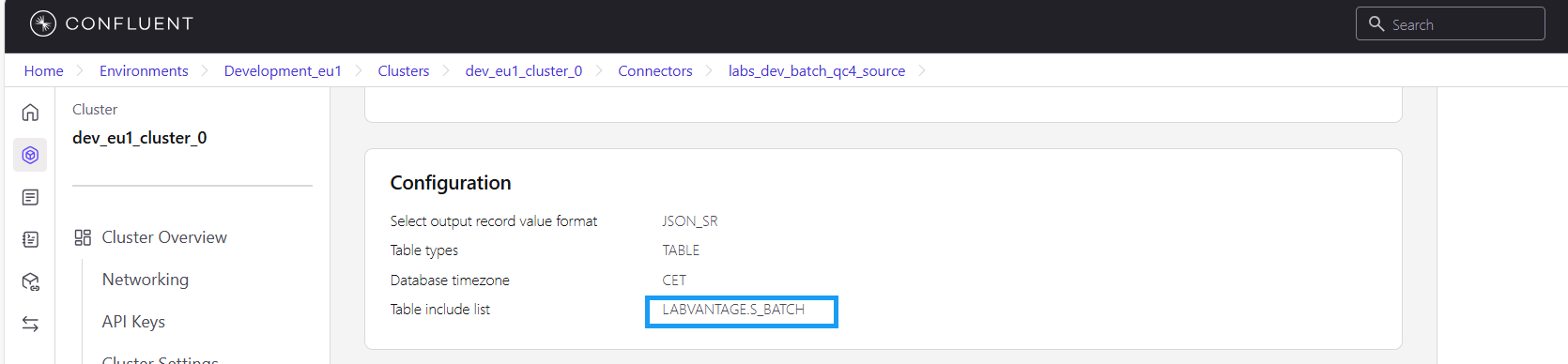
| Table include list | List of specific tables to stream. | SCHEMA.TABLE_NAME |
| Output record format | The serialization format for Kafka. | JSON_SR / AVRO |
3. Operational Settings
| Parameter | Description | Example Pattern |
|---|---|---|
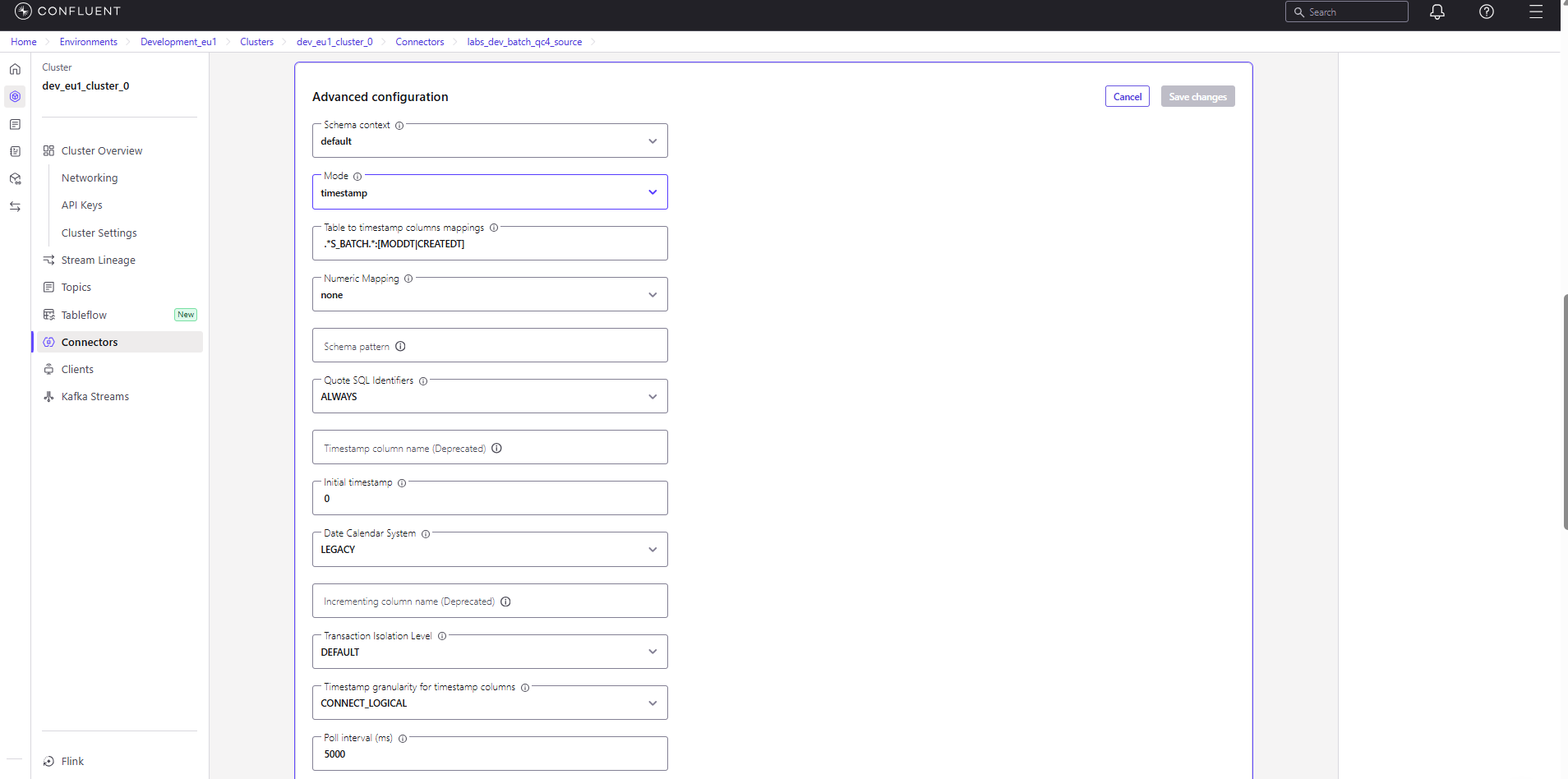
| Mode | The strategy for detecting new/changed data. | timestamp |
| Timestamp columns | Column(s) used to detect new changes. | MODIFIED_DATE_COL |
| Poll interval (ms) | Frequency of database queries. | 5000 |
| Max rows per batch | Max records per single poll. | 100 |
Important Observations and Suggestions
Bug Identified: Duplicate data being streamed to topics when the connector is running or restarted.
Identified Causes
- Snapshot Behavior: Most JDBC connectors trigger a "snapshot" on the first run. If the connector is interrupted before the initial offset is committed to Kafka, it may re-scan and re-send the entire table upon restart.
- Bulk Mode Defaults: If
modeis set tobulk, the connector ignores offsets and fetches every row in the table during every poll interval. - Duplicate Flood: Very short
poll.interval.msvalues combined with large tables can lead to a backlog where the same data is processed multiple times if the connector cannot commit offsets fast enough.
Fix / Recommended Configuration Changes
To ensure data integrity and prevent duplicates:
- Switch to Incremental Modes: Avoid
bulk. Usetimestamp,incrementing, ortimestamp+incrementing. - Column Mapping: Ensure the
timestampcolumn (e.g.,LAST_UPDATE_DATE) is indexed and updated by the DB on every row change. - Reliable Offsets: Verify the connector has a stable connection to the Confluent Cloud cluster to ensure offsets (the "high-water mark") are persisted frequently.
- Polling Strategy: Increase the
poll.interval.msto a value that balances your latency requirements with the processing load.
Example Connector Configuration Interface
The image below illustrates where these generic parameters are located within the Confluent Cloud console.